So I recently came across the idea of keeping a dev journal. Funny enough, I’m not entirely sure how I’ve missed this concept all these years considering I’ve previously done all kinds of journaling - just never for work or dev. Since I’m also going on leave soon, I figured this might be a good way to track everything and hopefully use that as a good base for knowledge transfer sessions or at least something to help my team members while I’m gone.
So while I hope to do a different blog post on daily work journals in general, I did notice that Obsidian has Daily Notes templates and quickly started using that as my dev journal.
While I tend to try to keep my tools simple I did decide to add one small template to fetch my “Daily” todo from Todoist and append it to my daily notes. While I try to avoid adding a bunch of scripts - I already have solid Todoist workflow to prune my todoist list and/or create tasks based on other conditions in my life so I feel confident adding this script as I know it’s not going to derail my workflow.
Here’s how I set it up: For the actual dev journal, I’ve been using Obsidian and its Daily Notes feature. I do have the Obsidian Templater plugin configured for the daily notes folder.
# <% tp.date.now("dddd, MMMM D, YYYY") %>

##  Deep Work  🎯
- [ ]
- [ ]
- [ ]

### Backlog
- [ ]

---

## Todoist

<%* const API_KEY = "YOUR_API_KEY";

const response = await fetch("https://api.todoist.com/api/v1/tasks?filter=today", { headers: { "Authorization": `Bearer ${API_KEY}` } });

const data = await response.json();
const tasks = (data.results || []).filter(t => t.due !== null);

let output = "";

if (tasks.length === 0) {
  output = "- No tasks due today 🎉";
} else {
  output = tasks
    .map(t => {
      const priority = t.priority > 1 ? ` [p${t.priority}]` : "";
      return `- [ ] ${t.content}${priority}`;
    })
    .join("\n");
}
_%>
<% output %>


← [[<% tp.date.now("YYYY-MM-DD", -1) %>]] | [[<% tp.date.now("YYYY-MM-DD", 1) %>]] →
You can see the end results below.
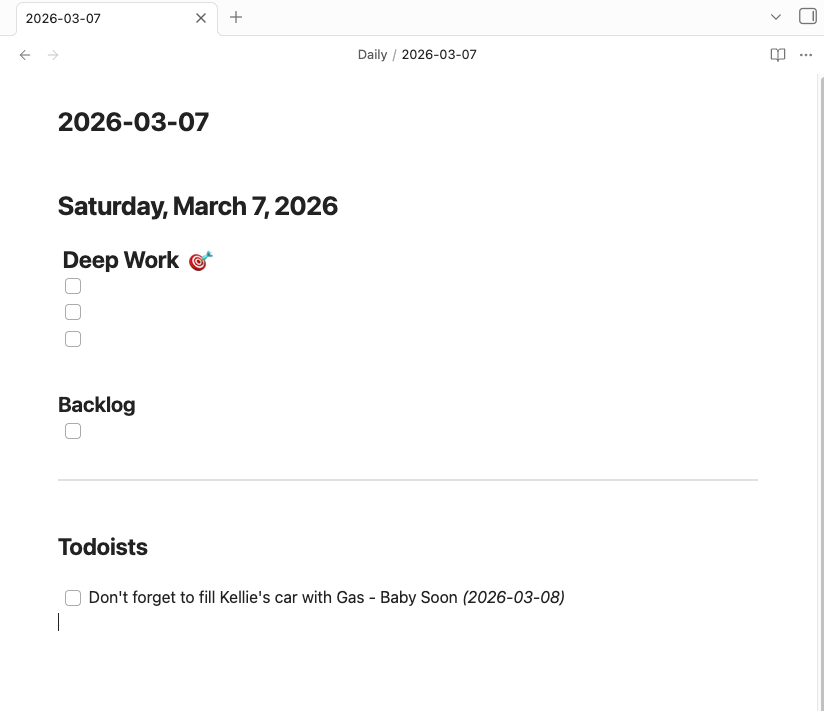
I do tweak the template around a bit but usually it stays this simple.
A few things worth calling out: the “Deep Work” section at the top is intentional. I block most of my mornings for deep work, so having those three slots front and center helps drive that. I want the first thing I see when I open my daily note to be what I’m actually supposed to be focused on — not a giant list of everything. Three slots, that’s it. If something doesn’t fit in those three it goes to the backlog.
As for the Todoist integration — it’s pretty lightweight on purpose. All it does is pull tasks that are due today and dump them into the note. I’m not syncing back to Todoist or doing anything fancy. The goal is just to have everything in one place when I sit down in the morning so I’m not context switching between tools to figure out what the day looks like.
If you’re not using Todoist you could easily swap the fetch call for whatever task manager has an API. Or just skip that section entirely — the template works fine without it.