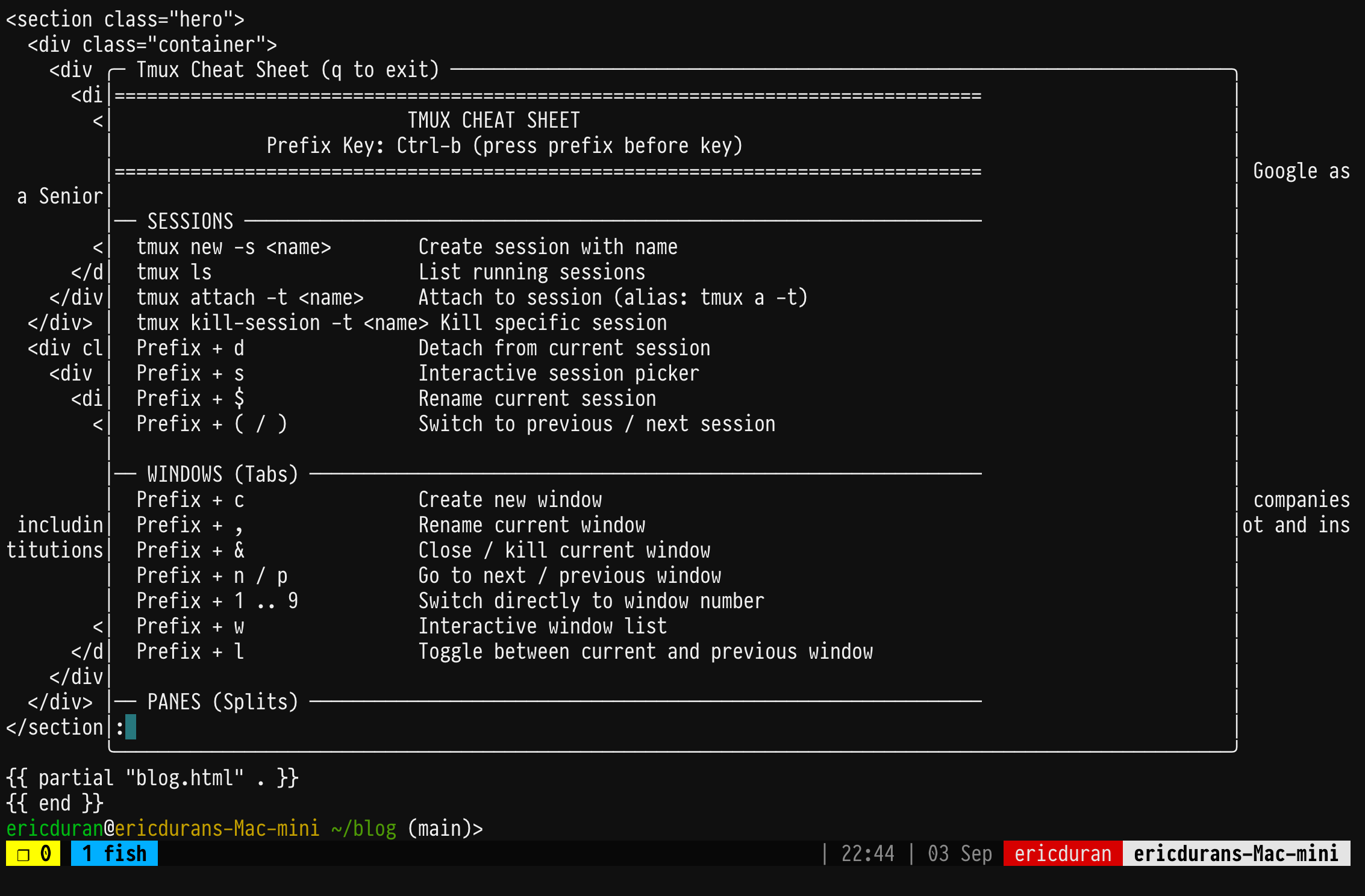
So I create aliases and adjust key-bindings on the terminal like I charge per tokens ;-), which means I forget most of them, but eventually they tend to stick. Recently it hit me I need a Shift + ? shortcut on the terminal like I have available on most UI/web apps. Since I’m always on a remote tmux session, I figured I just need to solve this in tmux.
I’ve been using tmux for years now, but I just learned it has a display-popup, which pretty much perfectly solved the “inject a window in any terminal session I have open” problem. The display-popup nicely opens a customizable floating window on top of everything. After that, it was just tweaking it a bit and having it read a file I can change as needed.
Anyways, here’s the quick TL;DR of the config:
bind ? display-popup -E -w 85% -h 85% -b rounded -T "Cheat Sheet (q to exit)" "less -R ~/dotfiles/cheatsheet.txt"
Here’s a tmux example with most of my tmux keys:
── PANES (Splits) ──────────────────────────────────────────────────────────────
  Prefix + |                Split pane horizontally (left / right)   [custom]
  Prefix + -                Split pane vertically (top / bottom)     [custom]

── SHORTCUTS (Dotfiles) ─────────────────────────────────────
  Prefix + ?                TLDR popup
  Prefix + R                Reload ~/.tmux.conf
  Prefix + E                Edit ~/.tmux.conf in Vim
  Prefix + m / M            Toggle mouse OFF / ON
Funny enough, right after figuring out how to get this working, I came across this TIL post. Turns out this has been around for a bit, I just learned it almost a year later - Ha
Here’s the tmux popup on my ipad mini via blink shell: